Navigate. Discover. Decide.

—Simplicity That Sells

Most navigation tools overwhelm.
Navigator guides.
A 3D command center so elegantly simple that buyers explore confidently, agents answer instantly, and complexity dissolves into the clarity that converts.

Built for Properties That Leave a Mark

From luxury residential to global hospitality, SuitesFlow powers the sales infrastructure for developments that define their markets.

Ritz
Trammell
Alterra
Altius
American
Asset Living
CBRE
Client
Colliers
Corporate
Douglas
Hyatt
Panama
Parallel
Peak Campus

Ways to Use Navigator

Sync with

Exchanges data seamlessly with all the major CRMs and property management systems.


CRM Systems

Salesforce | HubSpot | Custom CRM via API


PropTech Platforms

Yardi | Engrain  | RealPage | Entrata

Work With

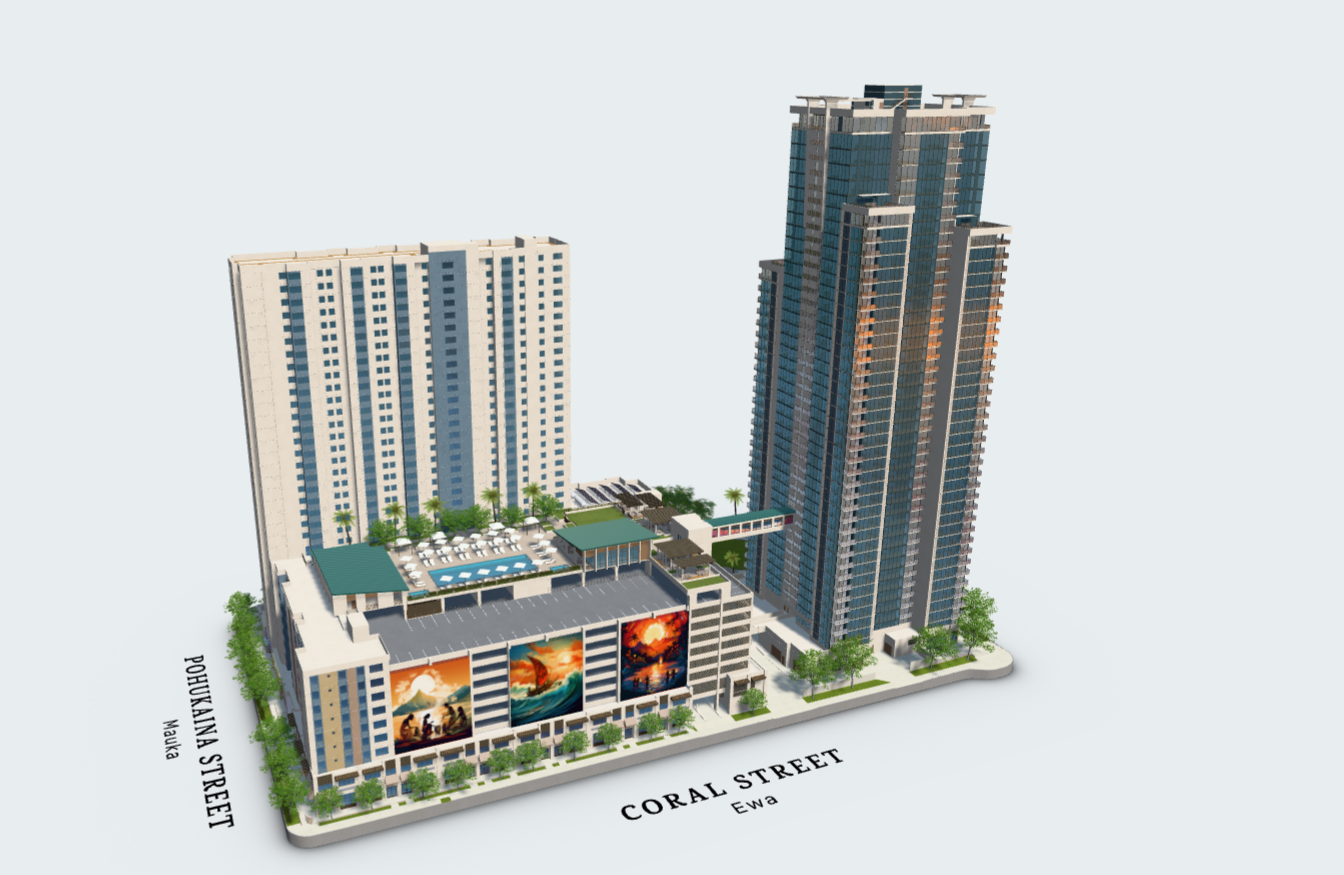
Everything buyers need—floor plans, specs, layouts, views—in one interactive 3D model.

Proprietary extraction technology slices spherical imagery based on precise unit orientation and elevation.

What Makes Information Easy? Everything in One Place.
01
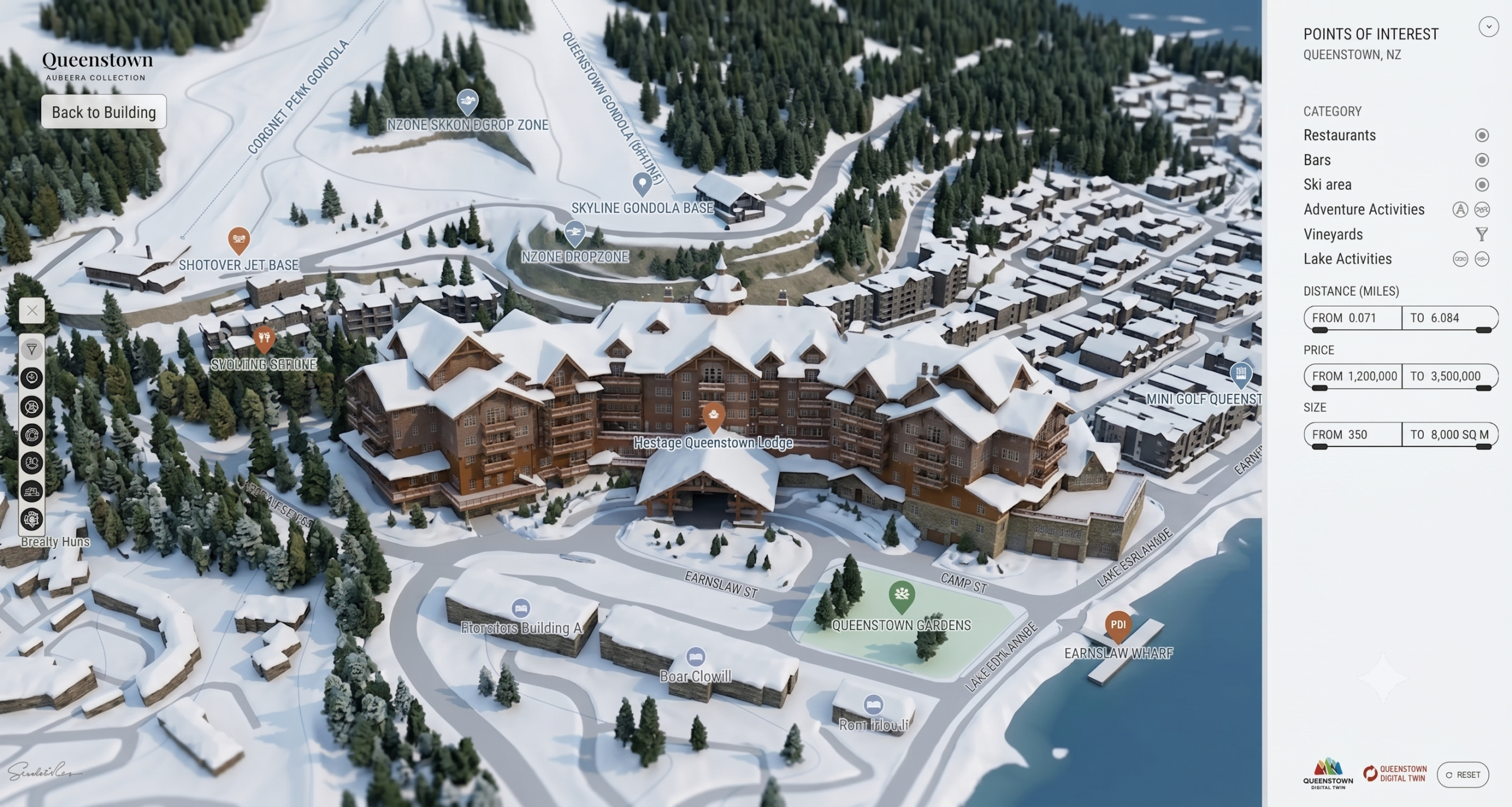
Smart Filters— That Actually Think

Buyers don’t search in spreadsheets. They search in possibilities. Navigator’s intelligent filtering adapts to how decisions actually happen—by lifestyle, by budget flexibility, by view priority, by whatever matters most. Your sales team controls the strategy. Buyers feel understood. Perfect fits emerge in seconds.

Navigator - Smart Filters
02

Location Becomes
the Story

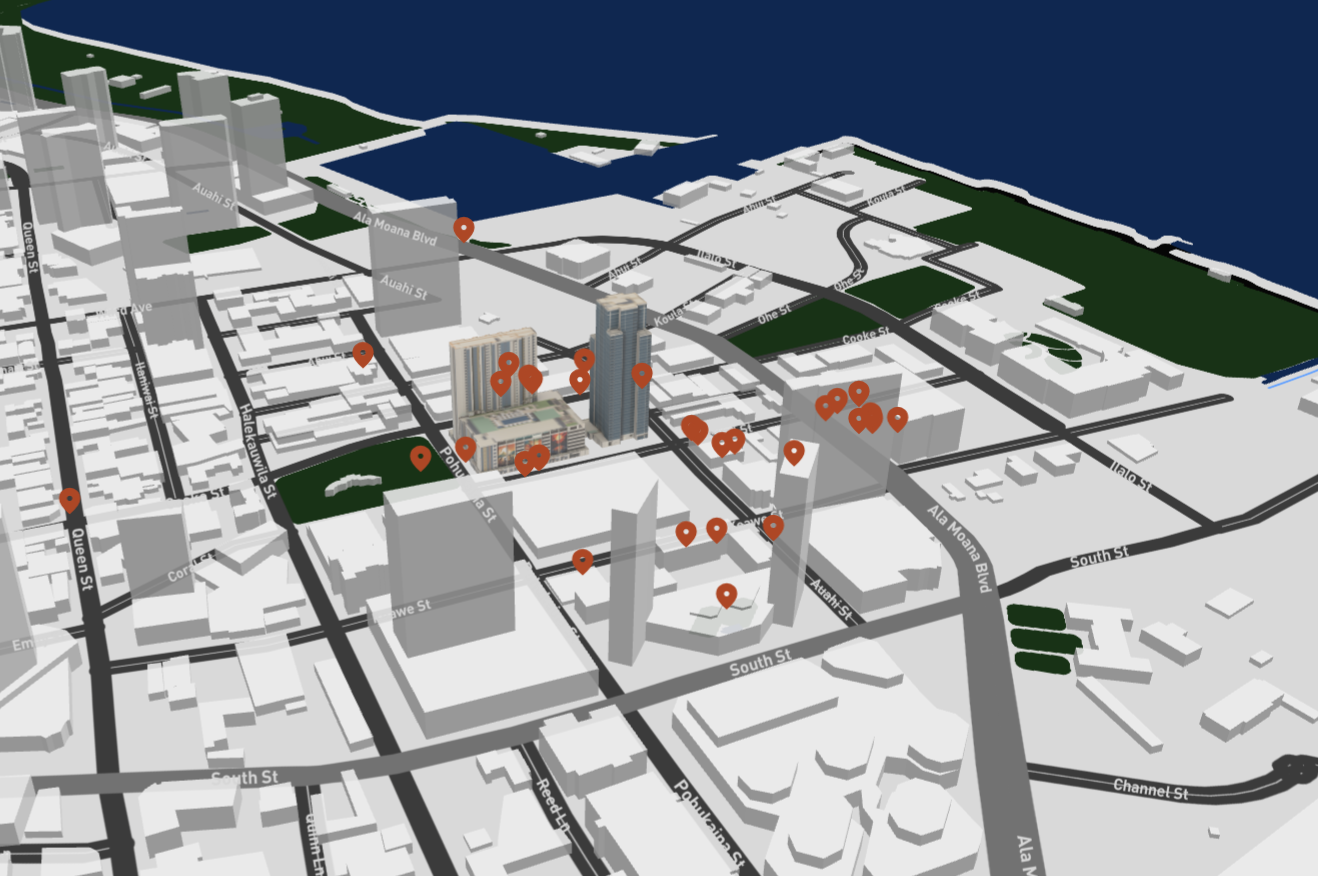
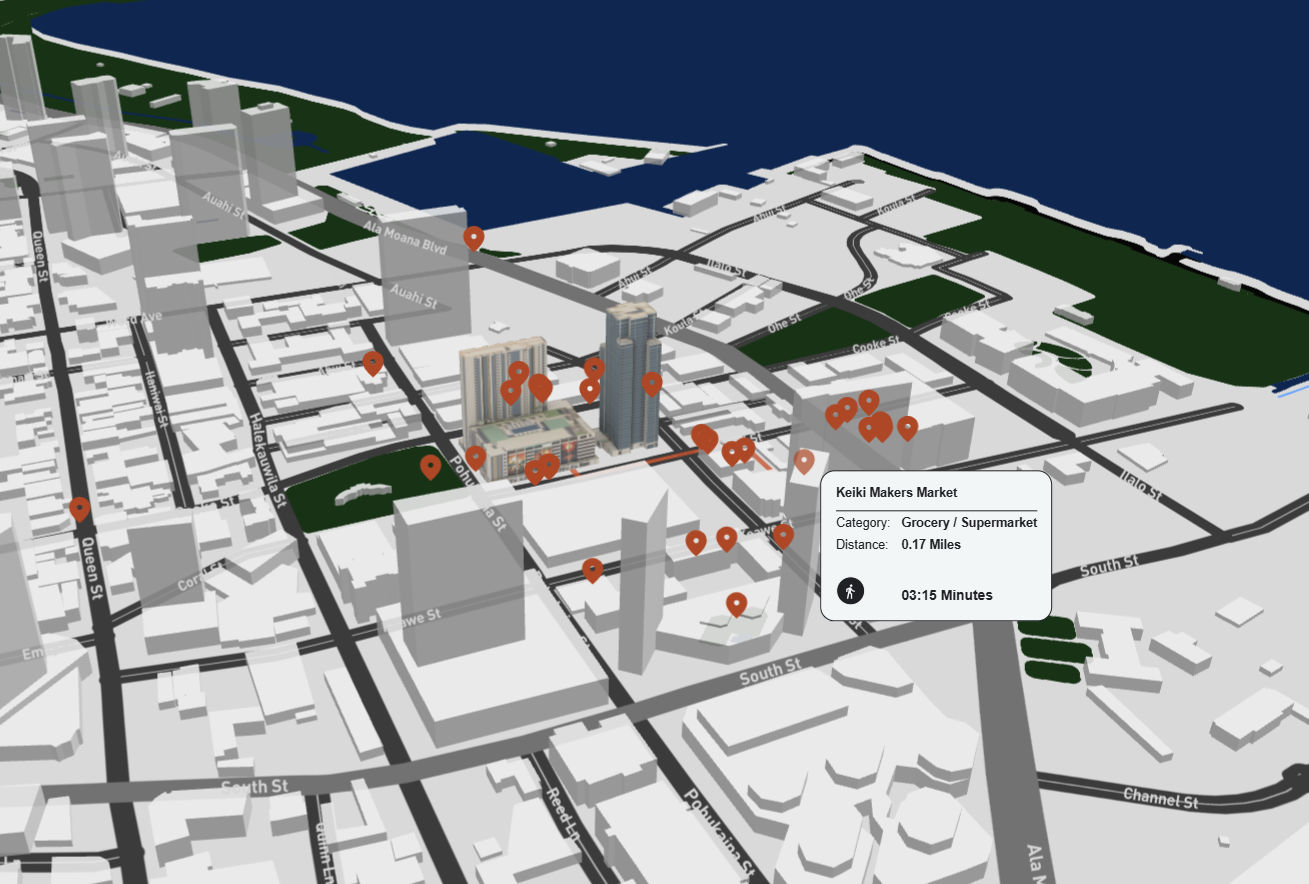
Every buyer asks “what’s nearby?” Most tools show pins on a map.Navigator shows why it matters. Interactive 3D exploration of every amenity, filtered by distance and category, revealing the neighborhood as a lifestyle—not just coordinates. Fifteen minutes from downtown becomes a visual story, not a number.

Navigator - POI Radar
Hospital
School
Restaurant
Gym
Park
Metro
Café
Grocery
Bar
Pharmacy
03
Automatic Follow-Up That Feels Hand-Crafted

The moment a buyer leaves, Navigator builds their personalized experience—a dedicated landing page featuring the units they explored, the amenities they cared about, the details that resonated. 

Navigator - Personal Delivery
Mark visiting...
Unit 304
Unit 507
Unit 812
Rooftop
Hey Mark
Here are the units you visited
Unit 304
Open
Unit 507
Open
Unit 812
Open
Rooftop
Open
04
Data & Analytics That Finally
Makes Sense.

Forget overwhelming dashboards and cryptic analytics. Ask anything—which units convert best, how brokers perform, why buyers abandon—and get instant answers rooted in your project’s real usage data. No hallucinations, no guesswork, just intelligence you can act on.

Traditional Analytics
Conversion Rate
Unit Distribution
Weekly Performance
847
Sessions
23.4%
Rate
4:32
Avg Time
156
Events
8.2
Score
91%
Quality
SUITESFLOW AI Analyst™

FAQ’s

How does the AI Analyst work and what can it tell me?

Suitesflow’s AI Analyst™ is trained exclusively on your project’s real usage data—no hallucinations, only facts. Ask it anything in plain language: which units convert best, how brokers perform, why buyers abandon. It answers instantly with actionable insights, strategic recommendations, and improvement opportunities based on actual behavior patterns. Build custom reports on demand, track performance 24/7, and get specific strategies to optimize conversion. Think of it as having a data analyst and strategist available at all times, included with every Navigator deployment.

How does Navigator work without requiring app downloads?

Navigator is fully web-based. Buyers simply click a link and start exploring the building in 3D immediately—no downloads, no installation, no friction. It works on any device with a browser, making it accessible to 100% of your prospects.

What makes Navigator different from other property search tools?

Most tools bury buyers in complexity. Navigator focuses on simplicity: intuitive 3D navigation, smart filters that actually understand what buyers want, POI mapping that shows neighborhood context, and automatic personalized follow-up that converts browsers into buyers. It’s designed for conversion, not just browsing.

How does the automatic follow-up feature work?

Every time a buyer explores your building, Navigator tracks which units they viewed, amenities they checked, and details they cared about. When they leave, it automatically generates a personalized landing page featuring their specific interests—delivered instantly with zero agent effort. They can revisit, share, and pick up exactly where they left off.

Can Navigator work with our existing building assets or does it require VIM?

Navigator works both ways. If you have Truespaces™ Digital Twins, it integrates seamlessly for the ultimate experience. But it also works standalone with your existing floor plans, renderings, and unit data—making it accessible even if you’re not ready for a top tier package that includes a digital twin for every unit.

Does Navigator integrate with our CRM and property management systems?

Yes. Navigator connects with major platforms including Yardi, Salesforce, HubSpot, and custom CRMs via API. Every visitor interaction, unit view, and filter preference flows directly into your sales pipeline, giving your team real-time intelligence on buyer behavior.

What conversion results can we expect with Navigator?

Our clients achieve 22-34% conversion rates compared to the 8-12% industry standard. The combination of intuitive navigation, personalized follow-up, and frictionless access turns casual browsers into qualified buyers. Every visitor gets their own custom experience, automatically.

How quickly can we deploy Navigator for our project?

Navigator can be deployed within days after receiving your unit data, floor plans, and building assets. The web-based platform requires no special installation—just configuration, testing, and you’re live. For TrueSpaces™ integration, timeline depends on digital twin readiness.

Ready to take the next step?

Modular by Design

[Each module works standalone or stacks seamlessly]